Pick a folder on your phone and one on Google Drive, and Wasl keeps them in step. It shows you every change before the first sync, stops before anything large is deleted, and keeps replaced files for 30 days. Your files travel between your phone and your Drive, and nowhere else.
Wasl (وصل) means connection: what makes two places one. Its mark is two arrows closing a single loop between the phone and the cloud.
Three guarantees
Nothing changes until you’ve seen it.
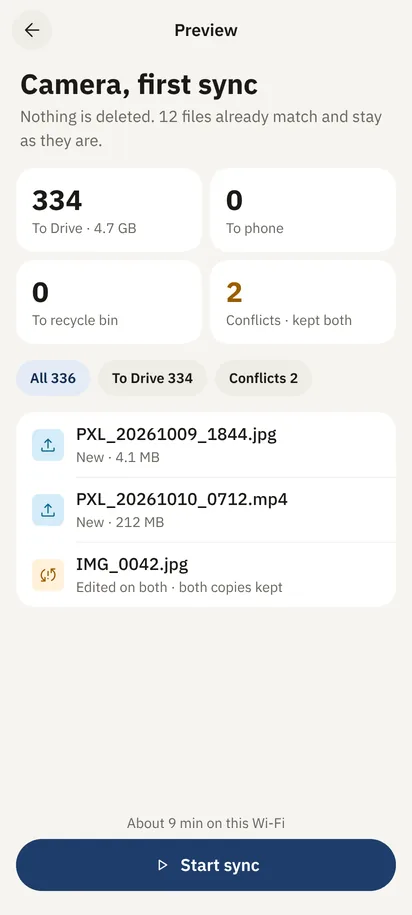
Because every new pair opens on a preview of each upload, download and removal, and the first sync starts only when you tap Start.
Large deletions wait for you.
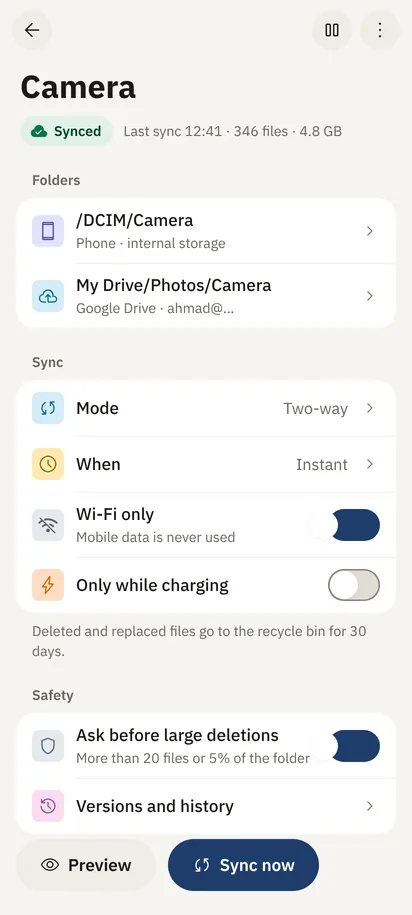
Because if a sync would remove more than 20 files or 5% of a folder, it stops and asks. Anything removed or replaced waits in the bin for 30 days.
Both edits survive.
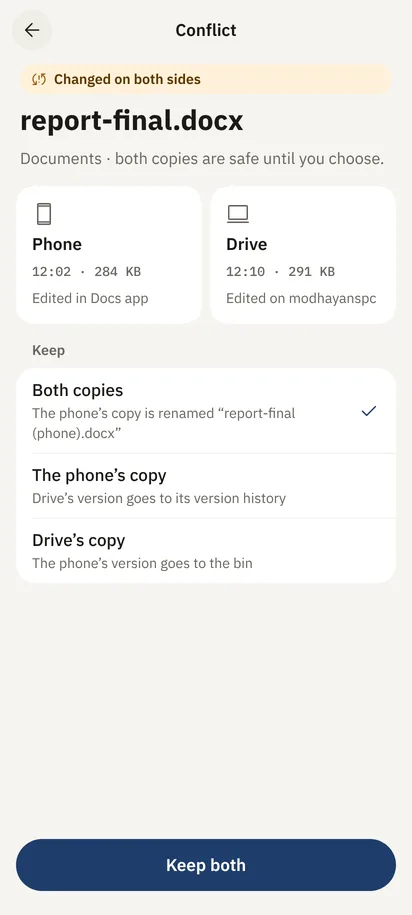
Because when a file changed on the phone and on Drive, Wasl keeps both copies until you choose. Nothing is overwritten on a guess.
01How it works
One pair, four steps.
A pair links one folder on the phone with one folder on Drive, with rules of its own. Make as many as you like, each with its own direction and timing.
01 · Pair
One folder here, one there.
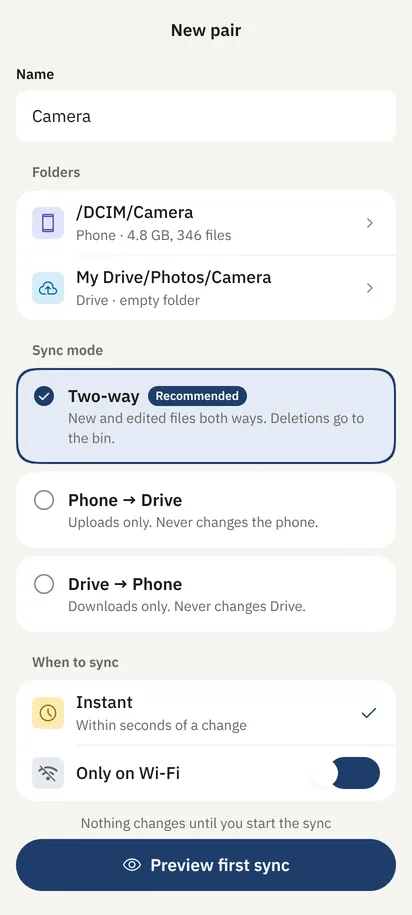
Name the pair, choose the phone folder and the Drive folder, then the direction: both ways, phone to Drive, or Drive to phone. Shared drives work too.
02 · Preview
The first sync, before it runs.
Wasl counts everything that will happen: how many files go up, how many come down, what goes to the bin and where the conflicts are. Browse the list file by file before you tap Start.
03 · Rules
Sync when it suits you.
Within seconds of a change, or every 15 minutes, with rules such as Wi‑Fi only or only while charging. Mobile data is never used unless you allow it.
04 · Recover
Undo is always close.
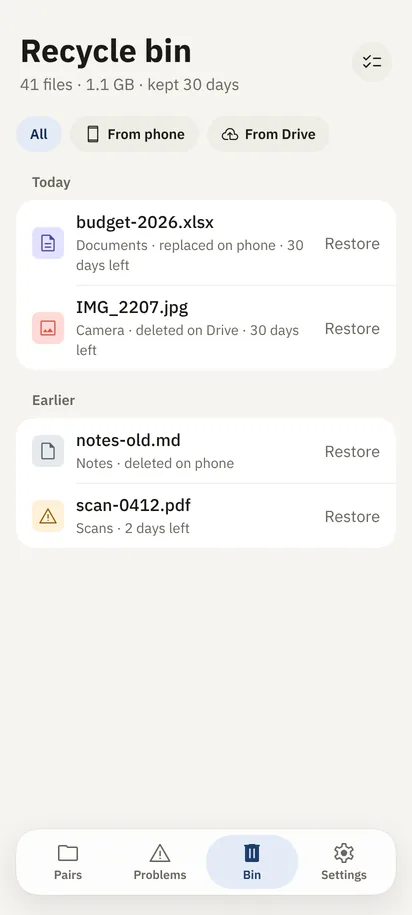
Wasl’s bin keeps whatever was removed or replaced for 30 days, from the phone or from Drive, and puts it back in one tap. Drive’s version history for every file is one more tap away.
When a folder suddenly empties
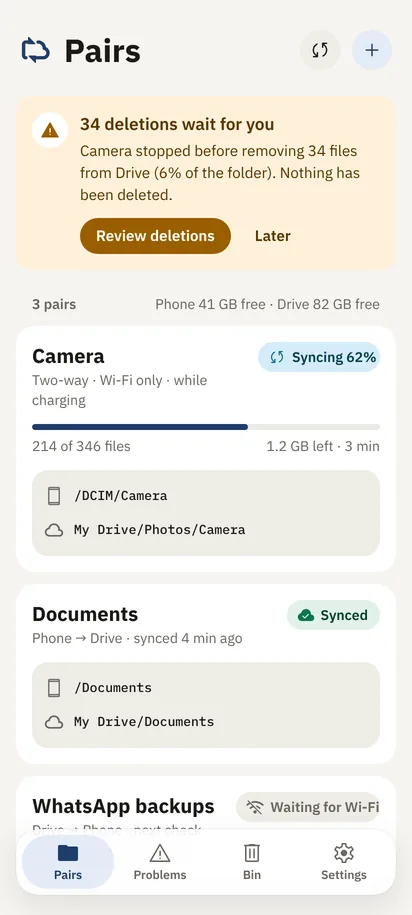
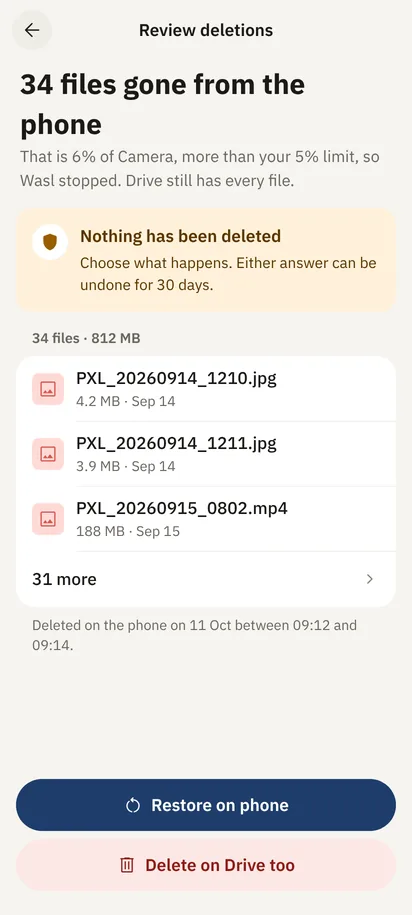
34 deletions wait for you.
The Camera folder lost 34 files at once, 6% of it. Wasl stopped, deleted nothing, and asked: restore them on the phone, or delete them from Drive too. Either answer can be undone for 30 days.
02Tools
For when you want more.
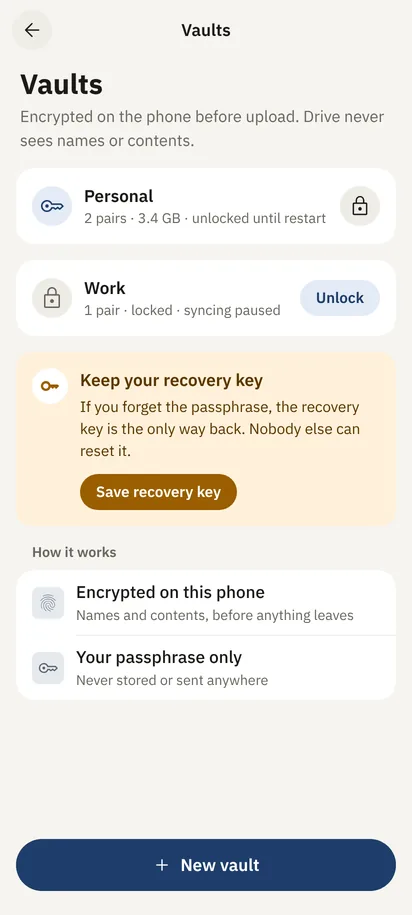
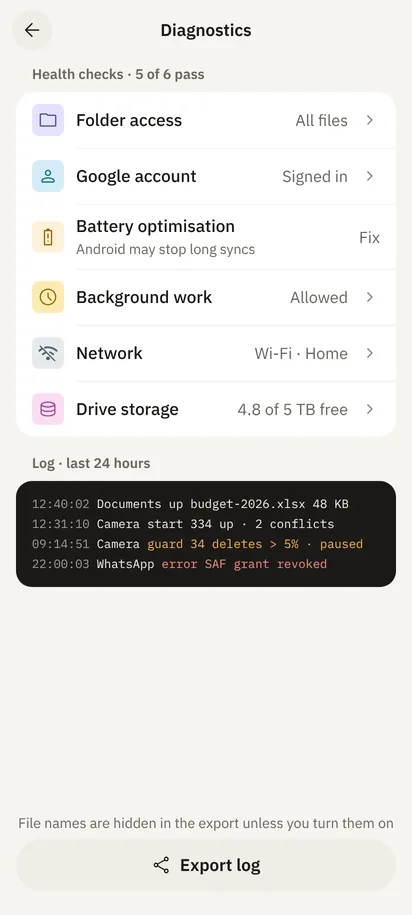
Encrypted vaults, version history, and diagnostics that explain what happened in plain words. All quiet until you need them.
Encrypted vaults
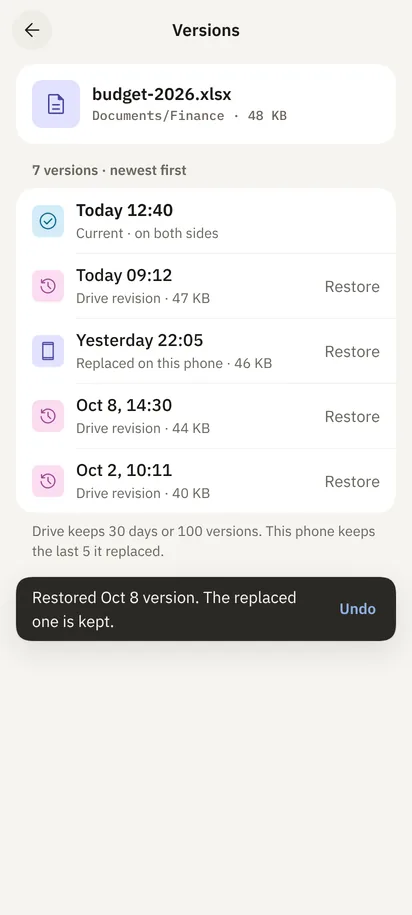
Version history
Diagnostics
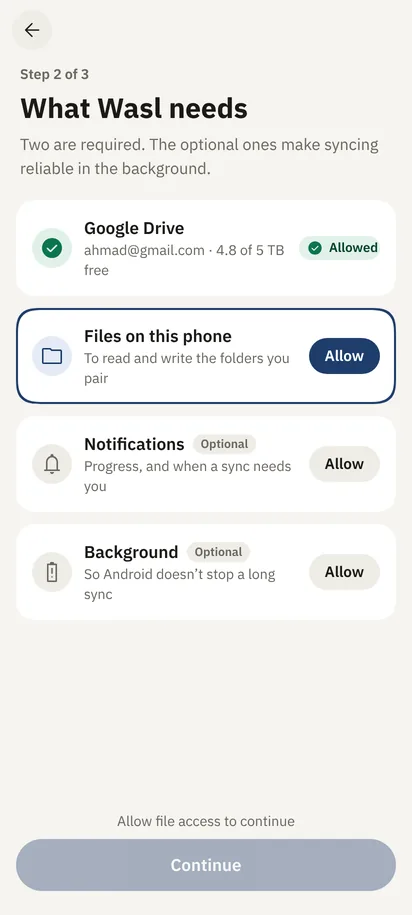
Permissions
03Your Google Drive
How Wasl uses your Google Drive.
When you add a Google account, Wasl asks for one permission: to see, edit, create and delete files in your Google Drive (https://www.googleapis.com/auth/drive).
Why it needs full Drive access
You choose folders that already exist in your Drive, including shared drives and files added from a computer or the web. Narrower permissions reach only files the app created itself, so they could not keep an existing folder in sync.
What it does with that access
Reads your Drive’s folder list, so you can choose a folder to pair.
Uploads and downloads files inside the folders you paired, and exports Google Docs in them as Word, Excel, PowerPoint or PDF copies on your phone.
Moves files that a sync removes to Drive’s trash, and shows earlier versions so you can restore one.
Reads your storage quota to show how much space is free.
If you browse Drive from the phone’s Files app, opens only the files you open there.
If you turn on configuration backup, saves a small file describing your pairs and settings, never file contents, in your Drive’s hidden app-data folder.
Where your data goes
Files travel directly between your phone and Google’s servers over HTTPS. Wasl has no servers of its own and contains no analytics, advertising or crash-reporting code. Your data is never sold, shared, or used to train AI models.
Wasl’s use and transfer of information received from Google APIs adheres to the Google API Services User Data Policy, including the Limited Use requirements.